
Dashboard
The dashboard is a web page on your machine. It lists the reviews and plans in the folders you point it at, updates them live while they run, and holds the Settings page. It only reads sessions and plans. It never starts, stops or answers a review; the agent does that.
Start the dashboard
Section titled “Start the dashboard”-
Start it from the folder that holds your projects, or pass
--root(see below).Terminal window cross-review dashboardWithout the installed command (and on Windows), use:
Terminal window npx @tlelabs/cross-review dashboard -
The page opens in your browser. If it does not, open the link the command prints.
-
Keep the command running while you use the page. Press Ctrl-C to stop it.
Options:
| Option | What it does |
|---|---|
--root <dir> |
Scans this folder instead of the current one. It also scans 3 levels below it. |
--port <n> |
Uses this port. By default the dashboard picks a free port between 20000 and 30000. If the port is in use, the command fails. |
--no-open |
Prints the link and does not open the browser. |
--idle-exit <s> |
Stops the dashboard after this many seconds with no page open. |
The server listens on 127.0.0.1 only. Other machines on your network cannot reach it.
Sessions
Section titled “Sessions”The Sessions page has two lists.
- In progress shows reviews that have not ended yet, with the state, the round, and what the reviewer or the agent is doing now.
- History lists finished reviews, and reviews nobody has picked up for an hour. Filter by workspace, skill, or result, or search by subject, findings, and file names.
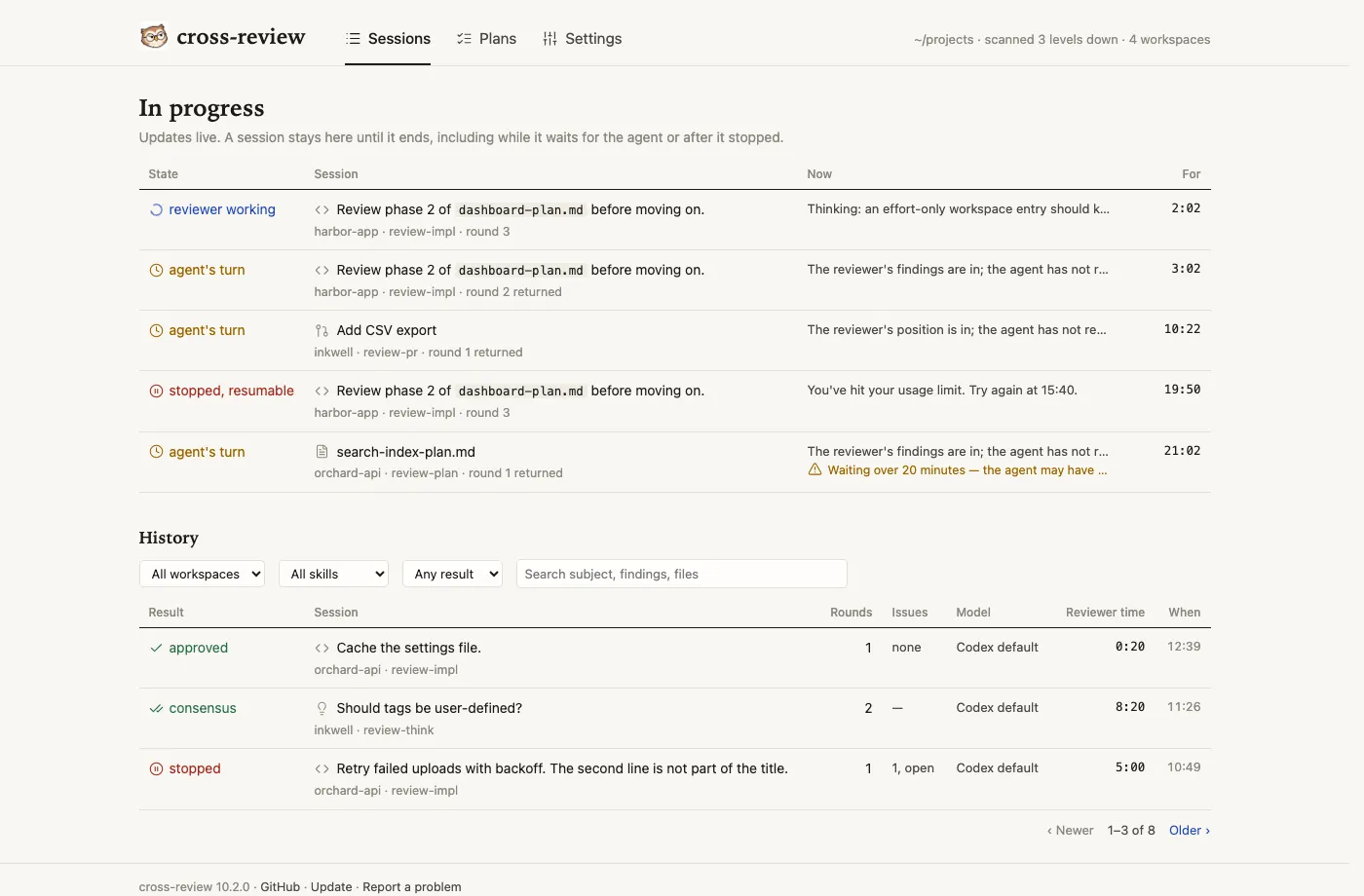
The states in the In progress list:
| State | Meaning |
|---|---|
| reviewer working | The reviewer is still reading or writing its answer. |
| agent’s turn | The reviewer answered. The agent has to fix, dispute, or reply. After 20 minutes the row warns that the agent may have stopped. |
| stopped, resumable | The round ended without a verdict, for example a timeout or a stall, and the reviewer’s thread is kept. See Troubleshooting. |
A review that waits for the agent, or stays stopped, for over an hour moves to History. The dashboard works this out from the session’s files and the clock; it changes nothing in the session. When the agent resumes the review, its new round is running, and the review is back in In progress.
Results in History are approved, consensus, stalemate, stopped, or no reply (the agent did not answer the reviewer for over an hour).
A session
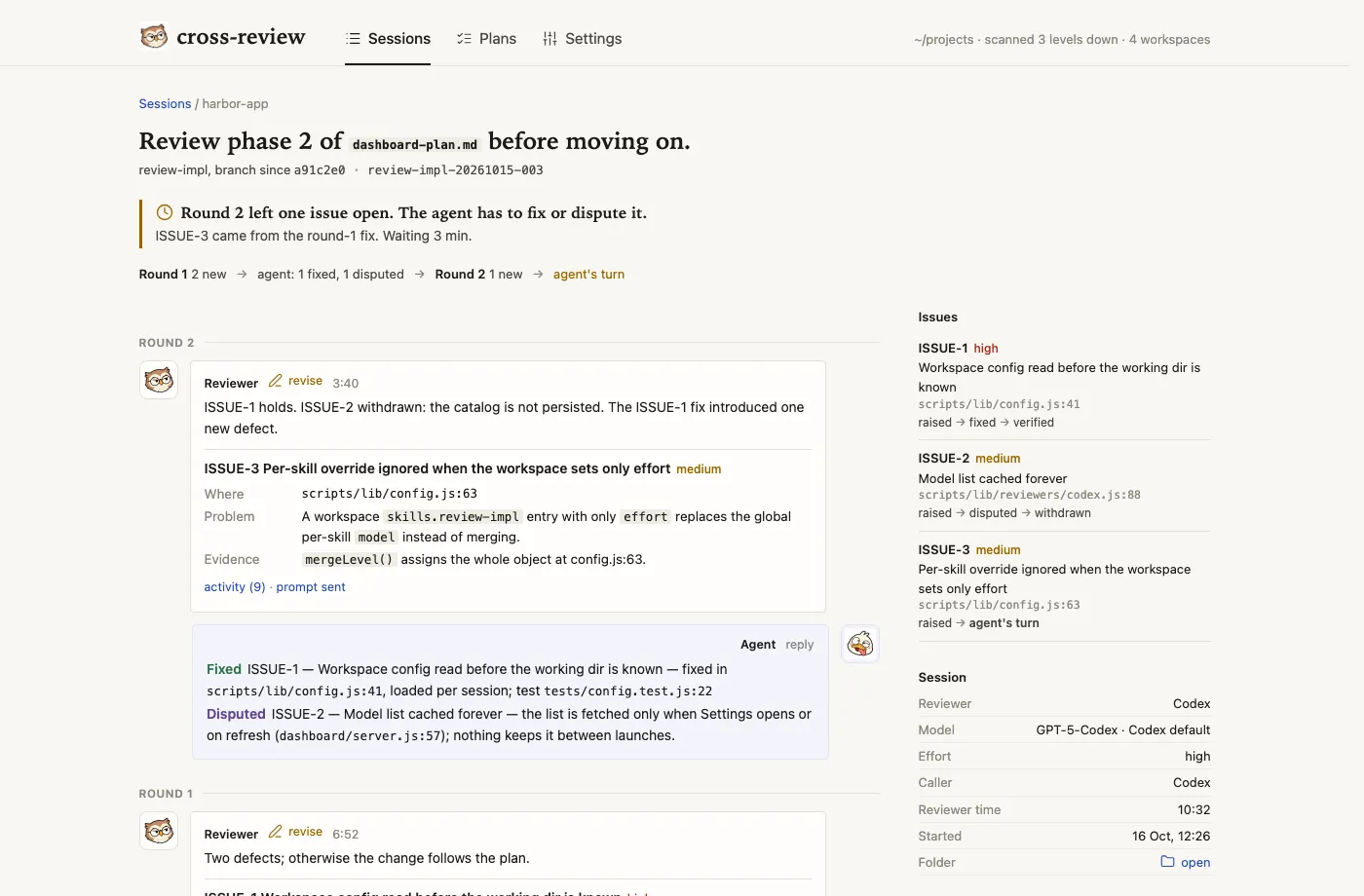
Section titled “A session”Open a session to read it round by round. The page shows:
- The reviewer’s findings for each round, with the issue ledger on the right: each issue, its severity, and whether it was raised, fixed, disputed, verified, or withdrawn.
- The agent’s replies, with what it fixed and what it disputed.
- A Session panel with the reviewer, model, effort, the caller (the client that started the review), the reviewer’s time, the start time, and a link to open the folder.
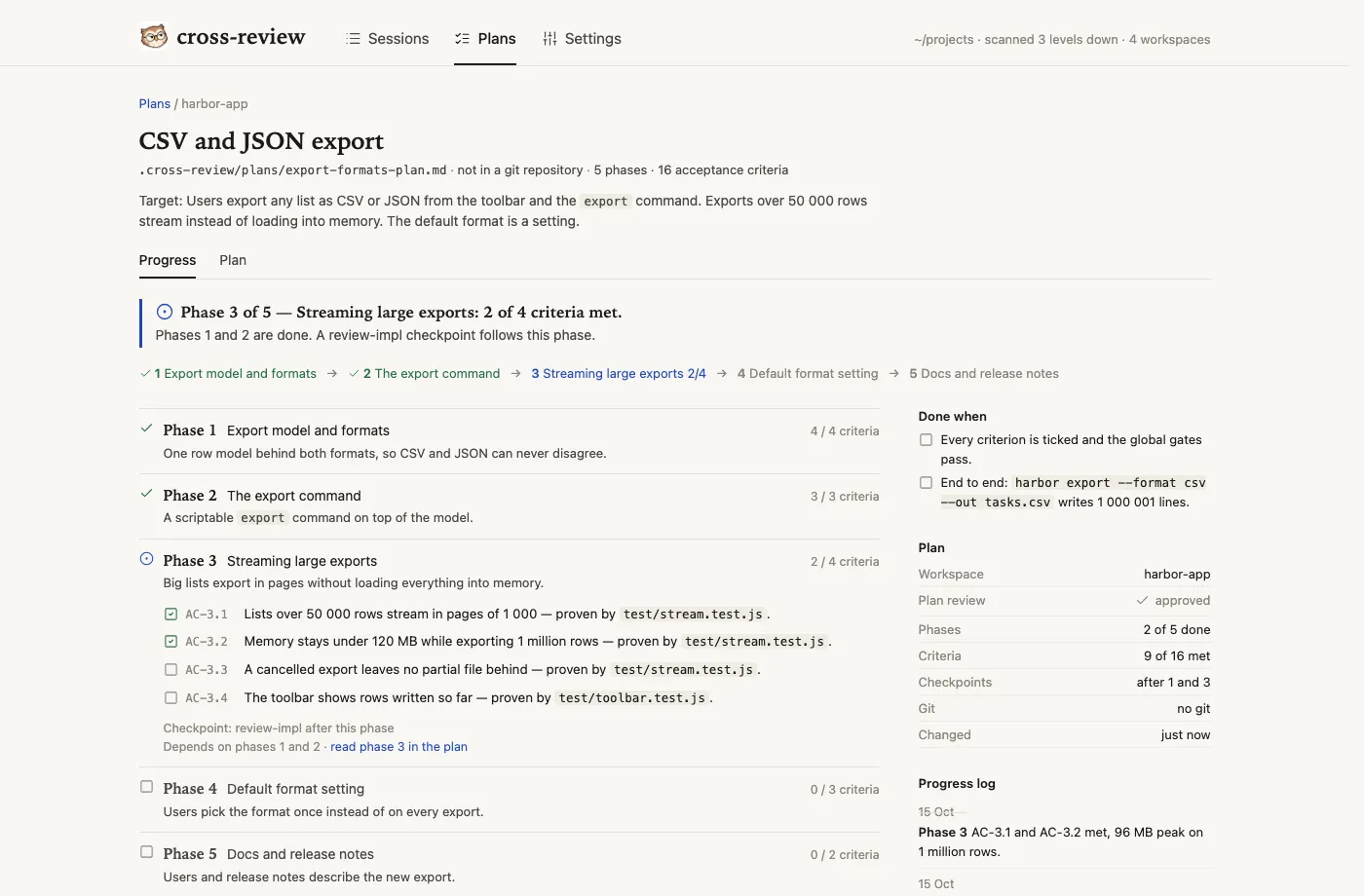
The Plans page lists every plan in .cross-review/plans/ of each workspace, with its state (draft, in review, ready, in progress, done) and its progress. A plan page has two tabs:
- Progress shows the phases, their criteria, the review checkpoints, the commits, and the progress log.
- Plan shows the whole plan file.
Plans elsewhere in the repository are not listed. For how plans are stored and committed, see Plans.
Settings
Section titled “Settings”The Settings page edits the review and plan settings. Choose Global or a workspace at the top. Each change is saved as you make it. The page shows the model list from the reviewer, the per-skill overrides, the Follow and Plans in git switches, the avatars, and the update check.
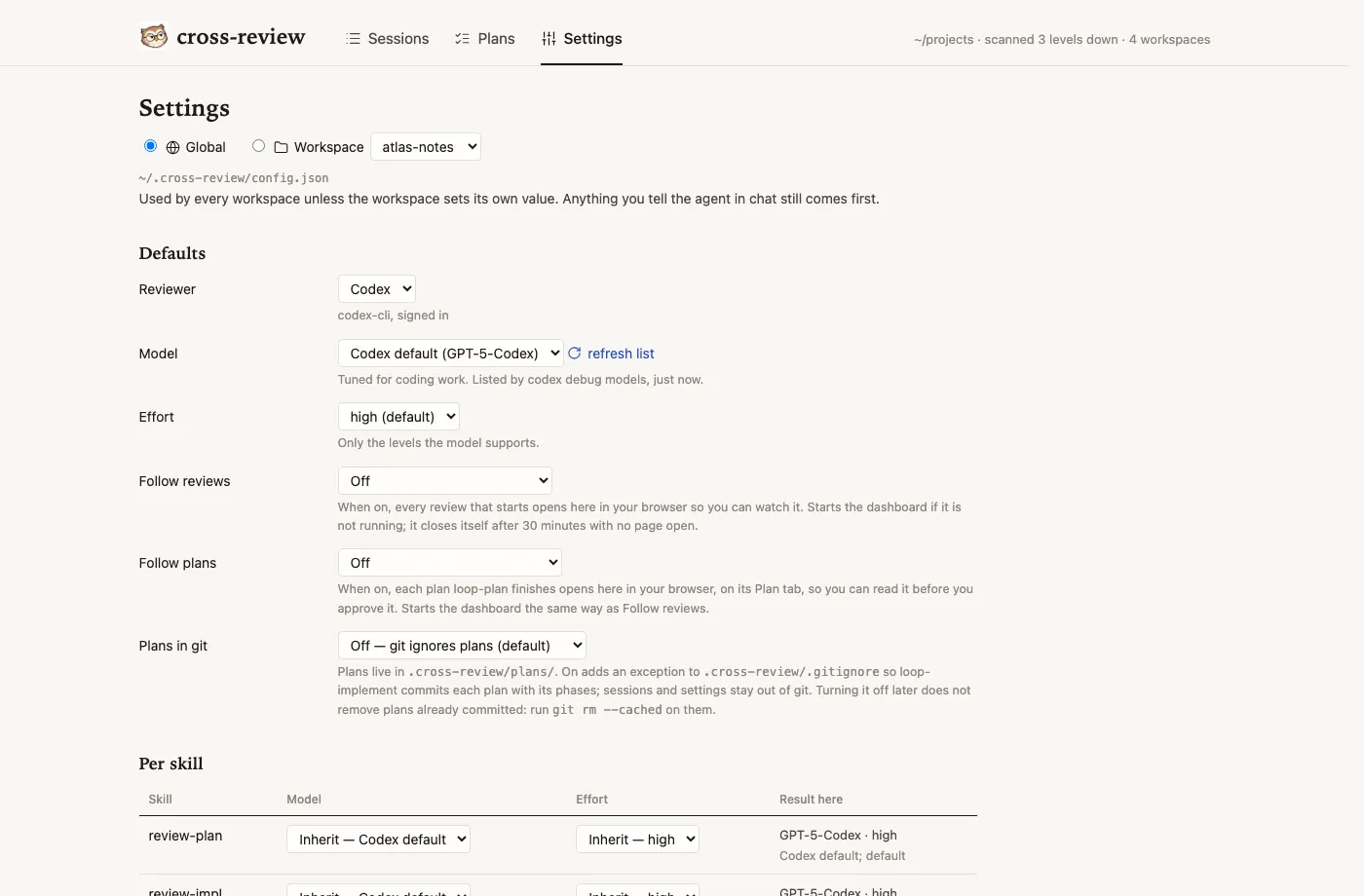
The model list comes from the reviewer CLI (codex debug models). The dashboard keeps the last list it got, so Settings opens at once. refresh list asks the reviewer again. For what each setting means and how they combine, see Settings.
Updates
Section titled “Updates”The dashboard can check npm for a newer version of @tlelabs/cross-review:
- With Check for updates on, the dashboard checks when it starts, if the last answer is more than 3 days old or the last check failed.
- Check now checks at any time.
- When a newer version exists, the footer says so.
The check sends no information about you or your sessions. It is the dashboard’s only network request. The reviewer CLI has its own network use, described in the FAQ.
Windows
Section titled “Windows”The installer does not write the cross-review command on Windows. Start the dashboard with npx @tlelabs/cross-review dashboard.